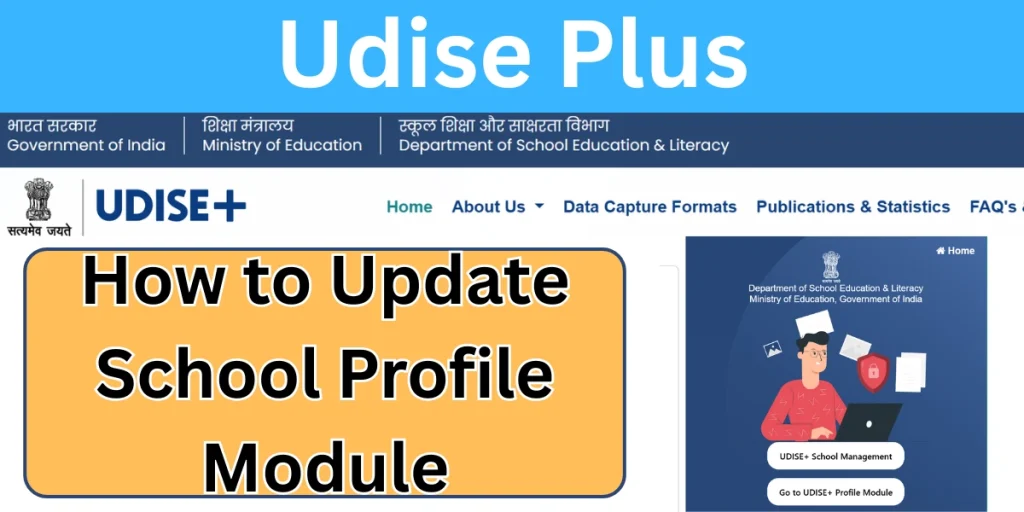
The School Profile Module is one of the most important components of the Udise Plus system. It helps schools record, update, and maintain accurate institutional data in a centralized digital format. Through this module, schools across India can submit verified information related to infrastructure, teachers, facilities, enrollment capacity, and academic details.
Managed under Udise Plus (Unified District Information System for Education Plus), the School Profile Module plays a critical role in education planning, policy implementation, and monitoring school performance at the national, state, and district levels.
What Is the School Profile Module?
The School Profile Module is a digital data-entry and management system within Udise Plus that collects comprehensive school-level information. Every recognized school, government-aided and private, must maintain its profile accurately on the platform.
This module ensures that all basic and advanced details of a school are stored in a standardized format under UDISE, making data transparent, reliable, and easily accessible for authorities.
The data submitted through this module is used for:
- Education policy decisions
- Resource allocation
- School monitoring and evaluation
- National education surveys
- Planning under schemes like Samagra Shiksha
Importance of the School Profile Module in UDISE Plus
The School Profile Module is the foundation of the Udise Plus system. Without accurate school profile data, other modules such as student enrollment, teacher information, and facility mapping cannot function correctly.
Key Reasons Why This Module Is Important:
- Ensures the correct identification of schools
- Helps track infrastructure development
- Supports accurate student and teacher mapping
- Improves transparency in education data
- Enables evidence-based policymaking
Because of its importance, schools are required to regularly update their profile during the annual UDISE Plus login cycle.
Key Information Covered in the School Profile Module
The School Profile collects a wide range of data categories. Each section must be filled carefully to avoid errors during verification.
1. Basic School Details
This section includes:
- School name
- UDISE code
- Management type
- School category
- Year of establishment
- Location details (rural/urban)
These details form the identity of the school within the Udis+ system.
2. School Infrastructure Information
Infrastructure data is one of the most crucial parts of the School Profile Module. It covers:
- Total land area
- Built-up area
- Number of classrooms
- Availability of electricity
- Drinking water facilities
- Boundary wall status
Accurate infrastructure data helps governments plan development and funding for schools under Udise Plus initiatives.
3. Classroom and Facility Details
This section records:
- Functional classrooms
- Smart classrooms
- Libraries and laboratories
- Playground availability
- Computer labs and internet access
Such data is essential for evaluating school readiness for digital learning initiatives.
4. Teacher and Staff Information (Linked Module)
Although teacher details are managed through a separate module, the School Profile provides a summary of:
- Number of teachers
- Teaching and non-teaching staff
- Sanctioned vs working staff
This information links directly with teacher profiles under the Udise Plus login.
Role of School Profile Module in Udise Plus Student Module
The Udise Plus Student Module is directly dependent on the School Profile. Student data cannot be entered or validated unless the school profile is complete and approved.
How They Are Connected?
- School infrastructure defines enrollment capacity
- The school category determines student classification
- Facilities affect student services eligibility
For example, student enrollment under Udise Plus student records must align with the school’s declared classes and sections.
How to Access the School Profile Module via Udise Login?
To update or verify school profile details, authorized users must access the system through Udise login.
Steps for Udise Plus Login:
- Visit the official Udise Plus portal
- Click on Udise Plus login
- Enter registered User ID and password
- Select the School Profile Module
- Start data entry or update
Schools must ensure that login credentials are kept secure, as all submitted data is legally binding.
Annual Data Collection Process in Udise Plus
Every academic year, the Ministry of Education initiates an annual data collection drive through Udise Plus and other state portals.
During This Period:
- Schools update profile details
- Data is reviewed by block and district officers
- Corrections are suggested if required
- Final approval is granted
Only approved data becomes part of the national UDISE database.
Common Errors in the School Profile Module and How to Avoid Them
Many schools face rejection or correction requests due to small mistakes in data entry.
Common Issues Include:
- Mismatch in infrastructure numbers
- Incorrect school category selection
- Incomplete facility details
- Outdated information
Tips to Avoid Errors:
- Cross-check physical records before entry
- Review data before final submission
- Coordinate with district officials
- Keep screenshots or printouts for reference
Accurate data ensures smoother integration with the Udise Plus Student Module.
Benefits of Accurate School Profile Data
Maintaining accurate data in the School Profile Module offers multiple benefits to schools and administrators.
For Schools:
- Better eligibility for government schemes
- Faster approvals and verifications
- Improved institutional credibility
For Authorities:
- Reliable education statistics
- Better planning and budgeting
- Enhanced monitoring of school performance
This makes Udise Plus a powerful data-driven platform.
Role of State Portals like Udise Plus UP
States like Uttar Pradesh operate customized dashboards such as Udise Plus UP to monitor school data in real time.
Through these dashboards:
- District-wise reports are generated
- Infrastructure gaps are identified
- Student and teacher ratios are analyzed
Schools in UP must ensure that their School Profile Module data is updated correctly to avoid discrepancies at the state level.
Security and Data Verification in Udise Plus
The Udis+ system follows strict verification protocols:
- Multi-level approval process
- Role-based access
- Data locking after submission
Once verified, school profile data becomes official and is used for national reporting.
Relationship Between Udise, Udise Plus, and Udis+
Many users confuse Udise, Udise Plus, and Udis+, but they are closely related.
- Udise: Original education data system
- Udise Plus: Advanced digital version with multiple modules
- Udis+: Short reference used by administrators
Why Schools Must Regularly Update the School Profile Module?
Schools evolve every year—new classrooms are built, facilities are upgraded, and enrollment capacity changes.
Failing to update the School Profile Module can lead to:
- Incorrect student data
- Loss of scheme benefits
- Mismatch in government records